Speak.
The text
is there.
Voice typing in every app, on your Android phone and your PC. Speech recognition runs on your own computer, not in a cloud.
Free, no account with us, no ads.
Speaking is faster than typing. Your voice just should not end up with a provider for it. Dictate sends it to your own PC and nowhere else.
One sentence, five styles
You talk the way you talk. While dictating you pick what it becomes. Try it.
Hi Anna, I won’t be in until around three the day after tomorrow. Can you please bring the documents?
Example. For this, Dictate downloads a language model to your PC once. That runs on your machine too.
On your Android phone
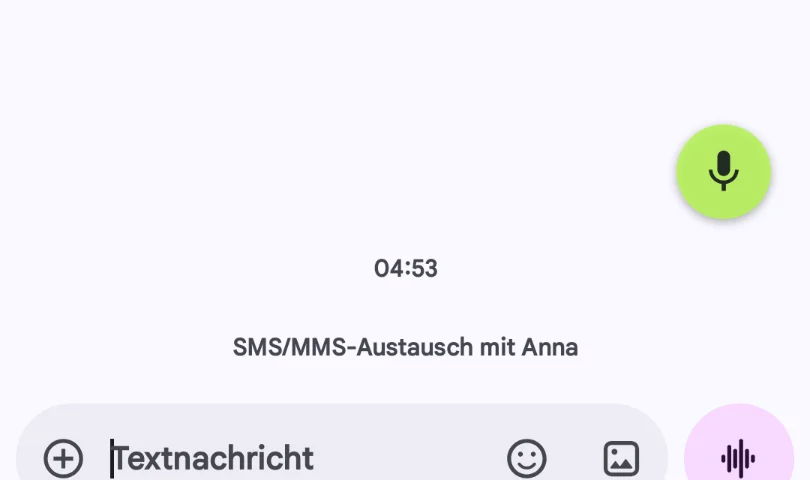
A bubble next to your keyboard
It appears in every app as soon as you tap into a text field: messages, email, notes.
- Tap, speak, tap again. The text is in the field.
- Hold and pick the style: email, English, short message.
- Hidden in password and number fields and in banking apps.
On your PC with Windows or Linux
Hold a key, speak, let go
The text appears where your cursor is: in Word, in the browser, in a chat.
F9hold while you speak
Your voice stays with you
Your phone sends the recording, encrypted, to your own PC. That is where speech becomes text. We receive none of it.
- No account with usYou sign in nowhere.
- No ads, no analyticsWe see neither your voice nor your text.
- Passwords are off limitsThe app never reads password or number fields.
Ready in three steps
- Install Dictate on your PC
- On the PC, click “Connect phone”
- Scan the code in the app
Questions
What do I need?
An Android phone and a PC with Windows or Linux. The PC program turns your speech into text. Setup guide
Does my PC have to be on?
Yes, while you dictate on the phone. If you prefer, use a small server of your own. We set it up on request: hello@brepper.com
What does the app read on my phone?
Only the text field you are dictating into, and the name of the app. It goes with the recording to your own computer and nowhere else.
What does it cost?
Nothing. The app and the PC program are free, without ads and without a subscription.